Photo Album F-Stop Pro
Seelye EngineeringPhotography
4.4233.00 Reviews
- Version
- 3.2.8
- Installs
- 100.00K
- Age Rating
- Everyone
Screenshots
Our Review of Photo Album F-Stop Pro
 Analysis by Appyee
I approach Photo Album F-Stop Pro as a tool for people who want more say in how their pictures are arranged, rather than another camera or editing app. That distinction matters: an organized library can save time, but it also asks you to decide how much effort you want to spend maintaining it. My trust in any photo organizer depends on that balance—useful controls should be clear, and private pictures deserve careful handling.
Trust starts with what you can verify
F-Stop Pro is a photography app from Seelye Engineering, released in 2012 and currently at version 3.2.8. Its long-running presence may reassure someone who prefers an established utility to a brand-new organizer, but age alone is not proof of current support or of a particular privacy standard. I would judge it by what the app visibly lets me do and by the permissions and choices presented on my own device.
That distinction is especially important for a photo library. Images can reveal more than their subjects: a family gathering, a work document, or a location embedded in a photo may all be personal. Before importing or sorting a sensitive collection, I would take a moment to review the app’s permission prompts and the device’s app settings. I would not treat a feature name or a familiar interface as a substitute for checking those controls.
Organizing without losing sight of privacy
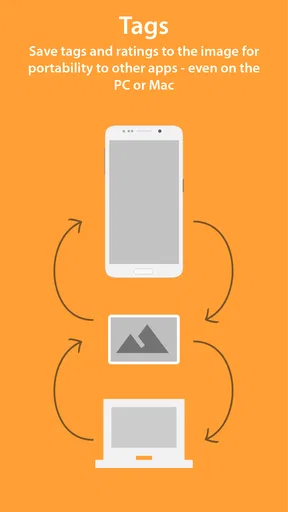
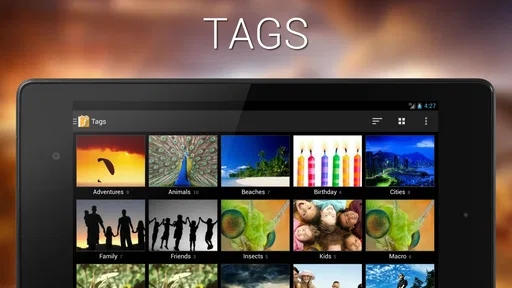
The app’s organizing approach centers on finding and sorting pictures with tools such as tags, ratings, and albums. That can be more useful than relying on a single camera-roll timeline: a tag for “receipts” or “reference” can separate practical images from family photos without requiring a new folder for every occasion. The benefit depends on keeping your labels consistent; a small, sensible vocabulary is easier to maintain than dozens of nearly identical tags.
The original review also describes password-protected folders as a privacy option. I would treat that as a practical layer for keeping casual browsing separate, not as a reason to assume every copy of a picture is protected everywhere. If an image is especially sensitive, check how it is stored and what happens when you share, back up, or move it. The app’s visible controls matter, but so do the choices you make outside it.
Where user agency makes the difference
One of the strongest reasons to choose a dedicated organizer is having more control over how you retrieve your own images. Ratings can help distinguish favorites from ordinary shots, while tags can reflect the way you actually think: by person, project, place, or purpose. I would start with a few categories I know I will use, then add more only when searching exposes a real gap. That keeps organization helpful rather than turning it into a chore.
F-Stop Pro has an average rating of 4.4 from around 2,300 ratings, and it has been installed over 100,000 times. Those figures suggest that it has found an audience, but they cannot tell me whether its approach fits my habits or how it will behave with my particular library. At $19.99, it is also a paid choice rather than a no-cost experiment, so I would compare its day-to-day value with the gallery tools I already use before committing.
First Impressions
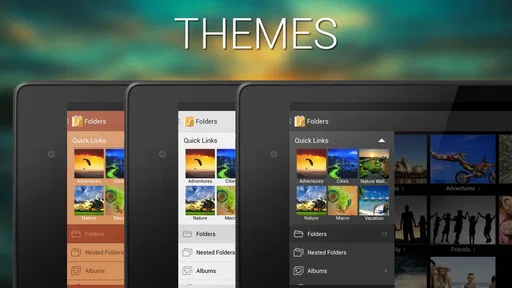
When I first downloaded Photo Album F-Stop Pro, I was immediately struck by its sleek and user-friendly interface. You know how some apps feel like they require a manual just to navigate? Not this one. Everything is laid out intuitively, which means you can start organizing your photos from the get-go without any fuss.
One of the first things I noticed was how quickly the app scanned and imported my existing photo library. No waiting around forever, watching a spinning wheel—always a plus in my book. It’s designed to handle large collections with ease, which is perfect if you’re like me and have thousands of photos stored on your device.
Features that Stand Out
Okay, so let’s talk features. F-Stop Pro is packed with them, but I’ll highlight a few that really caught my attention:
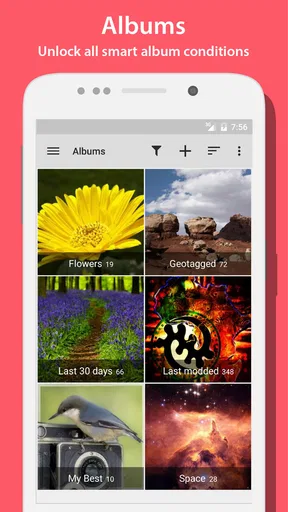
- Smart Albums: These are dynamic albums that update themselves based on your criteria. Want an album of all your beach photos? Set it up once, and it’s done!
- Tagging and Ratings: You can easily add tags and rate your photos, making it a breeze to find that perfect shot later on. It feels almost like magic how quickly you can sort through your collections.
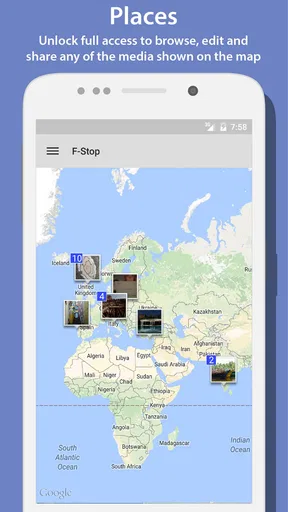
- Map View: This is a fun feature for the travel enthusiasts out there. It lets you see your photos plotted on a map, so you can relive your adventures visually.
- Privacy Features: If you’ve got some pics you’d rather keep private, F-Stop Pro has you covered with password-protected folders. Peace of mind, right?
Each of these features is well-implemented, making the app not just a tool, but an enjoyable part of managing your photos. The developers clearly put a lot of thought into making sure everything works seamlessly.
Using the App: My Experience
After spending some quality time with Photo Album F-Stop Pro, I can confidently say it’s become my go-to photo management app. The speed and efficiency with which it operates is impressive. I’ve used other apps that got bogged down with larger libraries, but F-Stop Pro handles it all effortlessly.
One feature I particularly enjoyed was the batch processing capabilities. Being able to apply tags and edits to multiple photos at once saves a ton of time. Plus, the app’s editing tools, while not as extensive as some dedicated photo editing apps, are more than sufficient for quick tweaks.
Another plus? The cloud integration. Whether you’re on Android or iOS, you can link your cloud services, ensuring your photos are always backed up and accessible across devices. It’s a lifesaver if you’re the type who switches devices often or just wants to have peace of mind knowing your photos are safe.
Making a library work in ordinary life
A realistic way to use the organizer is to handle a mixed batch of pictures after a busy week: screenshots you may need again, photos from a family visit, and several nearly identical shots from an outing. I would first rate the few images worth keeping at the top of the pile, then tag the practical screenshots separately. Later, a search or album can take me to those items without scrolling past every image made in between.
There is a useful trade-off here. Ratings and tags are most valuable when they answer a question you regularly ask, such as “Which pictures did I choose to share?” or “Where did I save that reference image?” They are less useful if I create elaborate labels once and never revisit them. A good starting routine is to organize a small, recent group and see which labels I naturally reach for before applying the system to years of photos.
Smart albums can reduce repeated work, but I would think of their criteria as rules to test rather than magic sorting. If an album is meant to collect a particular kind of picture, the underlying tags or other criteria need to be reliable enough to include the right items. I would check the first results, refine the setup if needed, and avoid depending on an album for an important archive until I know it behaves as expected.
Choosing it over a standard gallery
A built-in gallery is usually the simplest option when I only want to open recent pictures, share a shot, or make a quick browse. It is already part of the phone’s everyday flow, so there is little setup. A dedicated organizer such as F-Stop Pro makes more sense when the chronological camera roll has become frustrating and I want to impose my own structure through ratings, tags, and albums.
It is not a replacement for a full photo editor, either. The quick adjustments described in the original experience are handy for small corrections, but someone who needs detailed retouching or creative effects will be better served by an editing-focused app. I see the strongest case for F-Stop Pro as the space between those choices: a personal filing system for pictures, not a studio for transforming them.
It may also be the wrong fit for someone who expects every device to present the same library automatically. The previous experience describes cloud integration, but a person considering it should still check how their chosen service and devices work together before treating that as a complete backup plan. For pictures that matter, I would keep a separate backup I understand and verify, rather than relying on an organizer alone.
Small habits that prevent future mess
One practical tip is to keep tags short and unambiguous. A label such as “work” can become a catch-all; more specific labels tied to a real retrieval task are easier to search later. I would also avoid tagging every image just because the option is there. A few meaningful markers on the photos I may need again can deliver most of the benefit with much less upkeep.
For travel pictures, map view is useful when location is part of the memory, but it also makes location information feel more visible. I would use it when retracing a trip or finding pictures from a particular stop, then be deliberate about sharing images that reveal where or when they were taken. The feature is a browsing aid, not a reason to publish a location unintentionally.
Batch actions can make cleanup faster, but they raise the cost of a mistake: applying the wrong tag or adjustment to many pictures takes longer to undo than correcting one. I would select a small group first, confirm that the chosen action has the intended effect, and only then repeat it across a larger set. That cautious workflow is especially worthwhile when organizing irreplaceable family or work images.
Who will get the most from it
I would recommend considering F-Stop Pro if you regularly revisit an expanding library, care about finding specific pictures, and are willing to spend a little time establishing a tagging habit. It is also a natural fit for someone who keeps visual references alongside personal photos and wants a way to separate them without treating every image as part of the same stream.
On the other hand, a person who takes few pictures, is happy with the default gallery, or never searches old images may not gain enough from a paid organizer to justify changing routines. The same goes for anyone whose priority is advanced editing rather than retrieval. Its Everyone age rating makes it broadly suitable from a content-rating standpoint, but that does not mean every feature or workflow will suit every user; the relevant question is whether its organization tools solve a problem you actually have.
Device compatibility deserves a check before purchase. The app lists Android 2.2 as its minimum operating system, but that requirement alone does not guarantee that every current device or software setup will behave identically. I would confirm the app is available for the device I plan to use and make sure my existing photo workflow can accommodate another library tool.
For a final trust check, I would review the permissions presented during setup, revisit them in device settings if my needs change, and test the privacy and backup workflow with ordinary pictures before relying on it for sensitive ones. Those are straightforward steps, but they answer more than assuming an app is safe or unsafe based on its category. The right level of confidence comes from understanding the choices in front of me.
Final Thoughts
In the sea of photo management apps, Photo Album F-Stop Pro stands out thanks to its robust feature set and intuitive design. It’s priced reasonably, especially considering the functionality it offers, making it a worthwhile investment for anyone serious about organizing their digital memories.
Whether you’re a casual snapper or a serious photographer, this app provides the tools you need to keep your collection neat and accessible. It’s not just an app; it’s like having a personal assistant for your photo library. So, if you’re looking to take control of your photo chaos, give F-Stop Pro a try—your future self will thank you!
Verdict
Strengths of Photo Album F-Stop Pro
- Intuitive user interface, easy to navigate.
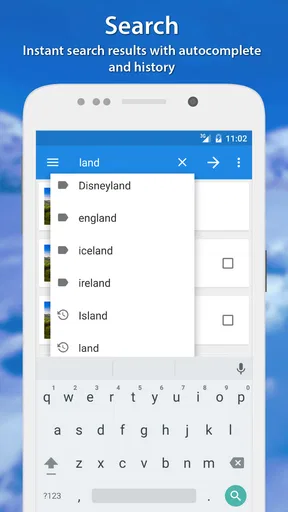
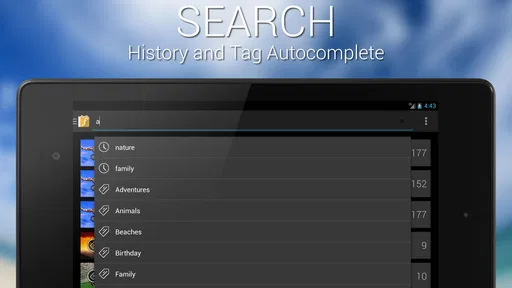
- Advanced search filters for quick access.
- Supports a wide range of image formats.
- Smart albums for automatic organization.
- No ads in the pro version.
Limitations of Photo Album F-Stop Pro
- Limited cloud storage integration options.
- Occasional lag with large photo libraries.
- Some features require a learning curve.
- No built-in photo editing tools.
- Higher price compared to similar apps.
Similar Picks in This Category
View All
Google Photos
Google LLC4.4

Gallery
Google LLC4.2

Picsart AI Photo Editor, Video
PicsArt, Inc.3.9

B612 AI Photo&Video Editor
SNOW Corporation4.1

BeautyPlus-Selfie Photo Editor
PIXOCIAL TECHNOLOGY (SINGAPORE) PTE. LTD.4.5

Remini - AI Photo Enhancer
Bending Spoons4.1
Frequently Asked Questions
What features does F-Stop Pro offer for organizing photos?
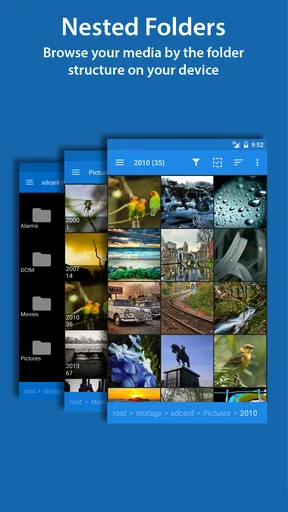
F-Stop Pro provides a range of features for organizing your photos, including smart albums, tagging, and ratings. The app supports nested folders and offers a powerful search functionality, allowing you to find your images quickly. Users can also create custom sorting options, making it easier to manage large photo collections.
Is F-Stop Pro user-friendly for beginners?
Yes, F-Stop Pro is designed to be user-friendly, even for beginners. The intuitive interface and straightforward navigation help users easily manage their photo libraries. Additionally, the app offers tutorials and tips to help new users explore its features effectively, making it accessible for individuals with varying levels of experience.
How does F-Stop Pro handle privacy and security of photos?
F-Stop Pro prioritizes your privacy by offering features such as password protection for specific albums. The app does not require an internet connection to access your photos, ensuring they remain on your device. Users can also hide folders and secure sensitive images with additional privacy settings, providing peace of mind.
Can F-Stop Pro handle different file formats and large files?
Yes, F-Stop Pro supports a variety of file formats, including JPEG, PNG, and RAW, making it versatile for different photography needs. The app is optimized to handle large files efficiently, ensuring smooth performance even with high-resolution images. This compatibility makes it ideal for both amateur and professional photographers.
Does F-Stop Pro offer cloud storage integration?
F-Stop Pro integrates seamlessly with popular cloud storage services like Google Drive and Dropbox. This feature allows users to back up their photos and access them across multiple devices. The cloud integration ensures that your photo library is safe and easily accessible, providing flexibility and convenience for managing your collection.
